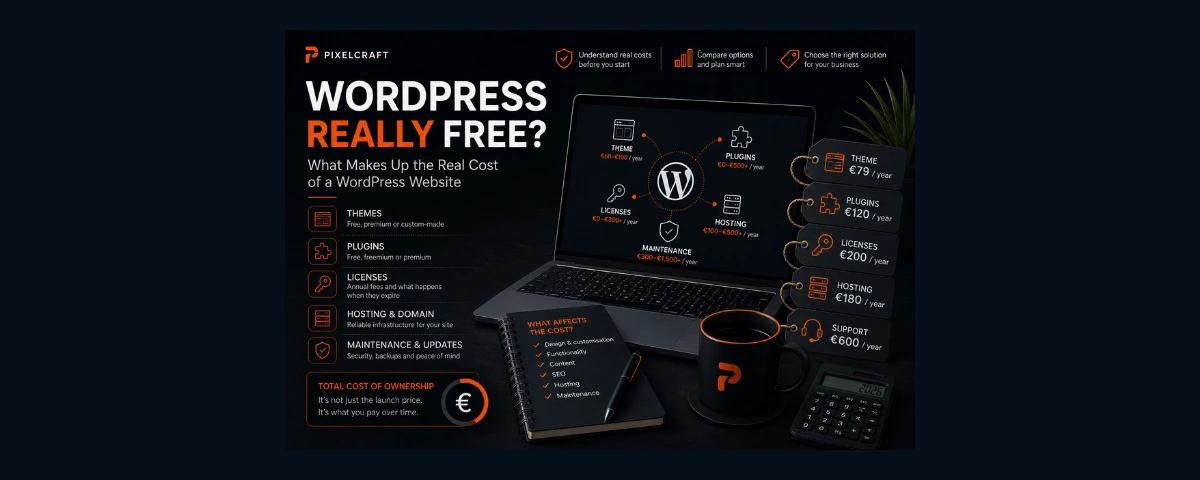

WordPress can be downloaded and used for free.
And that is absolutely true.
But does that mean a WordPress website should also be free or very cheap?
Not quite.
WordPress itself is only the foundation of a website. A real business website may also require design, a theme, additional functionality, plugins, hosting, a domain, backups, security, optimisation, technical maintenance and professional development work.
So two perfectly accurate statements can exist at the same time:
WordPress is free.
And:
a professional WordPress website can cost several thousand euros.
There is no contradiction.
Let’s look at what a WordPress website actually costs — not only when it is launched, but also one, three or five years later.
What You Don't Pay For: WordPress Itself
WordPress is open-source software distributed under the GPL licence.
This means you do not need to purchase a WordPress licence to use the CMS itself.
You can install WordPress on a suitable server, create pages, publish articles and continue developing the website.
But WordPress is not a finished website for a particular business.
A simple analogy is useful here.
A free CMS is more like a set of tools and a foundation than a completely finished house.
You still need to decide:
- what the website should look like;
- how it should be structured;
- which functions it needs;
- who will create the design;
- where it will be hosted;
- who will maintain it;
- which additional tools will be required.
This is where the real cost of the project begins.
The First Cost: Your WordPress Theme
A theme determines how a WordPress website is presented: page templates, layouts, typography, colours and other parts of the interface.
However, the term "WordPress theme" covers very different types of solutions.
They can roughly be divided into three groups:
- free themes;
- commercial premium themes;
- custom themes developed specifically for a project.
The cost of the final website can differ significantly depending on which approach is used.
Free Theme: Does It Mean a Free Website?
Thousands of free themes are available through the official WordPress directory.
For some projects, that may be completely sufficient.
For example, if a business needs a relatively simple informational website and an existing theme already provides a suitable structure, it can be adapted with the company's colours and content to create a perfectly functional website.
Problems begin when a theme is expected to look and behave completely differently from the way it was originally designed.
For example, the project may require:
- changing page structures;
- rebuilding the header;
- changing mobile navigation;
- adding custom content blocks;
- redesigning service cards;
- rebuilding the footer;
- changing typography;
- removing unnecessary elements;
- adding new content logic.
The theme itself is still free.
The hours spent by a designer or developer modifying it are not.
That is why it is important to distinguish between:
a free software product
and
a free finished website.
Sometimes a well-chosen free theme genuinely reduces the project budget.
In other cases, trying to rebuild it almost completely may cost more than choosing a more suitable solution from the beginning.
Premium WordPress Themes
The next option is a premium theme.
Commercial themes often provide more ready-made templates, settings, components and additional features.
This can significantly speed up development.
It can be particularly useful when the visual design and structure of an existing theme are already close to what the business needs.
But there is a common misunderstanding here.
If a theme costs a few dozen euros, that does not mean a professional website should cost the same amount.
The theme price is the price of one tool.
After purchasing it, someone may still need to:
- install and configure WordPress;
- configure the theme;
- plan the website structure;
- adapt the visual identity;
- build the pages;
- replace demo content;
- prepare images;
- optimise the mobile experience;
- configure forms;
- implement SEO settings;
- connect analytics;
- configure cookies;
- optimise performance;
- test the website;
- prepare it for launch.
So these are two very different questions:
"How much does the theme cost?"
and:
"How much does a finished website built with this theme cost?"
What Happens to a Premium Theme After a Year?
This depends on the specific product and its licensing terms.
Commercial themes use different licensing models.
Some are sold with a one-time payment.
Others provide updates, technical support, template libraries or additional services through a recurring subscription.
Before choosing a theme, it is therefore useful to ask:
- how much does the licence cost?
- how many websites can use it?
- does it require annual renewal?
- what exactly is included in the renewal?
- will the website continue to work without renewal?
- will updates remain available?
- who owns the licence?
The last question becomes particularly important when the website is built by an external developer or agency.
A Custom WordPress Theme
There is also a third option.
A developer can create a WordPress theme specifically for an individual project.
The website structure and visual system are designed first, and then implemented within WordPress.
This is a very different type of work.
Instead of selecting an existing design and adapting the business to its limitations, the theme itself is created around the needs of the business.
For example, a developer may build:
- custom page templates;
- individual content blocks;
- custom content types;
- unique navigation;
- a dedicated component system;
- specific card layouts;
- controlled editing fields;
- an interface designed around the company's visual identity.
This approach is normally more expensive than installing an existing theme.
That makes sense: a separate software product is effectively being created for a specific project.
Why Pay for a Custom Theme When You Can Buy One?
You don't always need to.
If a good existing theme already matches the requirements of the business, developing a custom theme may be unnecessary.
A custom solution becomes more interesting when the project requires:
- a unique design;
- a specific structure;
- greater control over the interface;
- performance optimisation;
- fewer unnecessary features;
- convenient editing for specific content types;
- room for future development.
The principle is the same as with custom web development in general:
custom development makes sense not because it is technically more complicated, but because it solves a business requirement that cannot be solved as efficiently with an existing solution.
Theme and Website Functionality Are Not the Same Thing
This is an important technical distinction.
WordPress recommends separating presentation from critical website functionality: a theme primarily controls how content is presented, while functionality that should remain available regardless of the design is generally better handled separately, for example through plugins.
Imagine that a business stores a particular type of structured information on its website.
That information should not disappear simply because the company decides to redesign the website and replace the theme a few years later.
For a business owner, the practical conclusion is simple:
a well-built WordPress website is more than an attractive theme containing hundreds of built-in features.
Architecture matters too.
The Second Major Cost: Plugins
One of WordPress's greatest strengths is its plugin ecosystem.
Plugins extend the functionality of the CMS.
For example, they can add:
- contact forms;
- SEO tools;
- multilingual functionality;
- booking systems;
- e-commerce;
- backups;
- security tools;
- image optimisation;
- caching;
- additional editor functionality;
- integrations with external services.
Many plugins are completely free.
Others use a freemium model: basic functionality is available at no cost, while advanced features require a paid version.
There are also fully commercial plugins.
So the fact that a website uses plugins tells us very little about its actual cost.
The more useful question is:
which functions does the business need, and how are those functions implemented?
Why Isn't the Free Version of a Plugin Always Enough?
Consider a simple contact form.
A free solution may be completely sufficient.
But later the business may want:
- conditional fields;
- file uploads;
- multi-step forms;
- CRM integration;
- automated notifications;
- payments;
- advanced spam protection.
Those features may only be available in a premium version.
The same situation can occur with multilingual websites, booking systems, SEO tools, e-commerce and many other functions.
That does not mean the free plugin is "bad".
The free and commercial versions may simply be designed for different levels of complexity.
Which Features Can Lead to Additional Costs?
There is no universal list of paid plugins that every WordPress website needs.
One website may be able to use free tools for almost everything.
Another may require several commercial solutions.
Additional costs are more likely to appear around features such as:
- multilingual content;
- complex forms;
- online booking;
- e-commerce;
- subscriptions;
- membership functionality;
- advanced filters;
- payments;
- integrations;
- backups;
- security;
- SEO;
- performance optimisation;
- email delivery;
- additional page builder functionality.
This is why a professional WordPress proposal should not be judged simply by the number of plugins installed.
It is much more useful to ask for a list of recurring costs that will continue after launch.
A Page Builder Is Another Separate Tool
Elementor, Divi and other visual editors are often perceived by clients as simply part of WordPress.
But WordPress and a page builder are not the same thing.
A page builder provides an additional way to design and edit pages.
This can be very convenient.
For some projects, a visual editor can significantly speed up development while giving the client more freedom to modify content independently.
However, advanced versions of these tools may also require their own commercial licences.
When choosing a page builder, it is therefore worth considering not only how convenient it is today, but also:
- performance;
- dependency on a specific tool;
- ease of future maintenance;
- update requirements;
- licence costs;
- what happens if you stop using it later.
Again, the tool itself is not the problem.
The question is whether it is the right tool for the project.
Should You Worry About Having Too Many Plugins?
You may have heard the advice:
"The fewer plugins, the better the website."
That is too simplistic.
The number of plugins alone is not a reliable measure of website quality.
One poorly written or abandoned plugin can cause more problems than several well-built and actively maintained plugins.
What matters more is:
- plugin quality;
- developer reputation;
- frequency of updates;
- compatibility;
- whether the functionality is actually needed;
- performance impact;
- security;
- whether several plugins duplicate the same functionality.
If three different plugins are doing essentially the same thing, that may indeed be a reason to reconsider the architecture.
But the number "15 plugins" by itself does not tell us whether a website is well built or poorly built.
Plugin or Custom Development?
There is another interesting economic question.
Suppose a high-quality commercial plugin solves a specific problem and costs a certain amount per year.
The alternative is asking a developer to build the same functionality from scratch.
At first glance, it may seem logical to ask:
"Why pay for a plugin every year if we can build our own?"
But custom functionality has a cost too.
Someone needs to:
- design the feature;
- write the code;
- test it;
- fix bugs;
- maintain compatibility;
- adapt it to future WordPress changes;
- support it over time.
Sometimes an annual licence for a professionally maintained product is considerably cheaper than custom development.
But the opposite can also be true.
If a business is paying for a large commercial package year after year just to use one small feature, a custom solution may eventually become more economical.
There is no universal answer.
The cost and risk of both approaches need to be compared.
What Happens If You Stop Paying for a Plugin?
It depends on the product.
That is why this is a question worth asking before purchasing it.
Different scenarios are possible.
The website may continue working, but:
- updates may stop;
- technical support may end;
- new versions may no longer be available;
- access to premium templates may disappear;
- an external cloud service may stop working;
- some commercial functionality may become unavailable.
You should not automatically assume that a website will break as soon as a licence expires.
But you should not assume the opposite either.
The terms of the specific licence need to be checked.
Who Owns the Licence — the Client or the Developer?
This is one of the most overlooked questions when commissioning a WordPress website.
A developer or agency may have a licence that allows a commercial product to be used across multiple client websites.
This can be beneficial for the client because they do not need to purchase a separate licence.
However, it is important to understand what happens if the working relationship ends.
For example:
- will the product continue to work?
- will updates remain available?
- will the client need to purchase their own licence?
- can the existing licence be transferred?
- will access to premium services be lost?
A good question to ask your developer is:
"Which commercial licences are being used on my website, and what happens to them if we stop working together?"
That is much more useful than simply asking:
"Are all plugins included in the price?"
The Third Cost: Hosting and Domain
Even if WordPress, the theme and every plugin are free, the website still needs somewhere to run.
That usually means paying for hosting.
A domain is also required.
The cost depends on the provider, hosting plan, server resources, traffic levels, backup arrangements and additional services.
A small company website and a large e-commerce store may have completely different infrastructure requirements.
So the statement:
"WordPress is free"
does not remove the ongoing cost of keeping a website online.
Email Isn't Always Included in Hosting Either
Another possible expense is business email.
For example:
info@company.fi
or:
booking@company.fi
Depending on the infrastructure, email may be included in the hosting package or provided through a separate service.
The website may also require a dedicated service for reliable delivery of system emails and messages sent through contact forms.
It is a small detail that can easily be overlooked when calculating the initial project price.
For an operating business, however, it can be important.
Updates Are More Than Clicking "Update"
WordPress allows the core software, themes and plugins to be updated through the administration interface, and automatic updates can also be enabled for themes and plugins.
But that does not mean maintaining a professional website is always as simple as pressing one button.
Updates can affect:
- component compatibility;
- visual appearance;
- individual functionality;
- PHP version requirements;
- integrations;
- third-party services.
That is why backups and a recovery plan matter.
Official WordPress documentation also recommends keeping themes and plugins up to date and having backups available in case something goes wrong during an update.
Why Pay for WordPress Maintenance?
When a client sees an offer such as:
"Technical maintenance — X € per month"
a reasonable question is:
"Why should I pay for maintenance if the website has already been built?"
Maintenance may include:
- WordPress updates;
- theme updates;
- plugin updates;
- backups;
- error monitoring;
- security checks;
- form testing;
- uptime or website monitoring;
- minor technical fixes;
- recovery when something goes wrong;
- licence management.
The exact services depend on the agreement.
So instead of asking:
"Why does maintenance cost money?"
it is more useful to ask:
"What exactly is included in the maintenance service?"
Some projects genuinely benefit from an ongoing monthly maintenance plan.
A small informational website may require much less attention.
Again, there is no universal answer.
Can't You Just Enable Automatic Updates?
You can.
WordPress supports automatic updates for themes and plugins.
For some websites, this can be a sensible part of the maintenance strategy.
But automation does not remove the need for backups or for checking whether the website continues to work correctly.
If an update causes a conflict, someone still needs to detect the problem and have a way to restore a working version.
Automatic updates are therefore a maintenance tool — not a complete replacement for maintenance.
A "Free" Website Can Become Expensive in Your Own Time
There is another cost that is often left out of website budgets.
The business owner's time.
WordPress allows people to do many things themselves.
That is one of its strengths.
But if an entrepreneur spends evenings:
- searching for a suitable theme;
- comparing plugins;
- resolving compatibility problems;
- configuring caching;
- restoring backups;
- learning how DNS works;
- trying to understand why something stopped working after an update,
those hours have value too.
Doing the work yourself can be a perfectly good choice, especially if you enjoy learning the technology.
But "free" does not always mean "without cost."
What Happens If Your Developer Disappears?
This is a useful test to perform before the website is even launched.
Imagine that tomorrow the person or company that built your website is no longer available.
What do you still have?
Ideally, the business owner should know:
- where the domain is registered;
- where the website is hosted;
- how to access WordPress;
- where backups are stored;
- which commercial themes are being used;
- which paid plugins are installed;
- who owns the licences;
- which third-party services are connected;
- who pays for those services;
- whether another specialist can take over the project.
This is not about distrusting your developer.
It is simply part of owning an important digital business asset.
Why Can Two WordPress Websites Differ in Price So Much?
At this point, it becomes easier to understand why an offer for:
"WordPress website — €500"
and another for:
"WordPress website — €5,000"
cannot be compared simply by looking at the CMS.
The first project might use:
- a ready-made free theme;
- a standard structure;
- content supplied by the client;
- several free plugins;
- minimal customisation.
And that may be a completely reasonable solution for the project.
The second might include:
- research and planning;
- custom UX/UI design;
- a custom WordPress theme;
- custom content blocks;
- complex content types;
- commercial plugins;
- integrations;
- multilingual functionality;
- technical SEO;
- analytics;
- performance optimisation;
- testing;
- client training.
Both websites run on WordPress.
But they are very different products.
Three Example WordPress Projects
To make the difference clearer, let's compare what is included rather than focusing only on price.
| Basic WordPress | WordPress with a Premium Theme | Custom WordPress | |
|---|---|---|---|
| Design | Ready-made free theme | Commercial theme + adaptation | Designed specifically for the project |
| Development | Minimal | Configuration and customisation | Custom theme and components |
| Plugins | Mostly free | Free + premium | Only necessary plugins + custom functionality |
| Editing | Based on theme capabilities | Theme/page builder capabilities | Designed around the client's editing needs |
| Recurring licences | May be none | Possible | Depends on services used |
| Uniqueness | Limited | Medium to high after customisation | Maximum |
| Initial cost | Usually lower | Medium | Usually higher |
| Ongoing costs | Hosting + maintenance | Hosting + licences + maintenance | Hosting + maintenance + required services |
This is not a ranking.
For a small business, the first option may be the most sensible.
For another project, a premium theme may avoid unnecessary custom development.
A third business may genuinely need the control provided by a custom theme.
The Launch Price Isn't the Only Cost That Matters
Imagine two projects.
Option A
The initial website is cheaper.
But every year the business pays for:
- a premium theme;
- several plugins;
- an additional service;
- maintenance.
Option B
The initial development costs more.
But some functionality is custom-built, there are fewer commercial dependencies and annual expenses are lower.
Which option is cheaper?
Looking only at the initial invoice, Option A.
After five years, the answer may be different.
But that does not automatically make Option B better.
If expensive custom development never produces enough value for a small business, Option A may still be the more rational choice.
That is why website proposals should be compared not only by their launch cost, but also by the total cost of ownership over several years.
What Should You Ask a Developer Before Ordering a WordPress Website?
Before starting a project, it is useful to get clear answers to at least these questions:
- Will the website use a ready-made or custom theme?
- If the theme is commercial, how much does the licence cost?
- Does the licence need to be renewed?
- Which plugins will be installed?
- Which of them are paid?
- Which licences require annual renewal?
- Who owns those licences?
- What happens if they are not renewed?
- Is a page builder being used?
- Does it require a separate licence?
- Who pays for the hosting and domain?
- Are there any other third-party services?
- What is included in technical maintenance?
- How are backups created?
- Who is responsible for updates?
- What happens if you change developers?
- Will you receive all necessary administrative access?
- What costs should you expect one year after launch?
The last question may be one of the most important.
"How much will I pay today?"
should always be followed by:
"What will I need to pay for later?"
So, Is WordPress Free or Not?
Yes. WordPress is free.
But WordPress and a finished WordPress website are not the same thing.
The CMS itself can be used without purchasing a licence.
But the ecosystem around it may include:
- a premium theme;
- custom development;
- commercial plugins;
- a page builder;
- hosting;
- a domain;
- email services;
- integrations;
- backups;
- technical support;
- ongoing maintenance.
That is not a disadvantage of WordPress.
In fact, one of the reasons WordPress is so widely used is precisely because its ecosystem allows websites to be built at very different levels of complexity.
You can create a small website with minimal recurring costs.
Or you can build a complex commercial platform with a custom theme and multiple integrations.
Both can be WordPress websites.
So instead of asking:
"WordPress is free — why does the website cost money?"
a better question is:
"How will my website be built, what is included in the price, and what will it cost to own and maintain over time?"
A good website proposal should be able to answer that clearly.
FAQ
Do I Have to Buy a WordPress Theme?
No.
There are many free themes available through the official WordPress directory.
A paid theme makes sense when its design, functionality or support provides something valuable for the project.
Is a Paid Theme Better Than a Free Theme?
Not necessarily.
Price alone is not an indicator of quality.
Development quality, maintenance, updates, performance and suitability for the specific project matter more.
Can You Build a Custom WordPress Theme?
Yes.
WordPress provides developers with tools for creating custom block themes and classic themes.
A custom theme can be developed specifically around the design and requirements of an individual business.
Are Paid Plugins Required?
No.
Many requirements can be handled using free plugins or WordPress's own functionality.
Commercial solutions are useful when their features or support justify the cost for a particular project.
Will My Website Stop Working If I Don't Renew a Premium Plugin?
Not necessarily.
It depends on the specific product. In some cases, updates and support stop. In others, premium functionality or external services may be affected.
The licensing terms should be checked in advance.
Do More Plugins Make WordPress Slower?
Not necessarily.
Performance depends on the quality of the individual plugins, what they do, database queries, frontend resources, hosting, caching and the overall architecture of the website.
The number of plugins alone does not provide a reliable answer.
Does a WordPress Website Need Monthly Maintenance?
It depends on the project.
A website with extensive functionality, integrations and commercial components will generally require more attention than a small informational website.
The important question is not whether there is a monthly fee, but what work is actually included in it.
Which Is Better: a Ready-Made Theme or a Custom Theme?
If an existing theme already matches the project's requirements, it can save both time and money.
If the business needs a unique interface, a specific structure or greater control, a custom theme may be more appropriate.
What to Read Next
If you are still deciding how your website should be built, start with “WordPress, Website Builder or Custom Development: Which Is Right for Your Business?”.
If your main question is the project budget, read “How Much Does a Website Cost in Finland in 2026?”.
We will also take a separate look at vibe coding and building a business website yourself with AI: what it really costs, where the initial rapid generation ends, and which tasks remain after the first version of the website has been created.
Sources and Methodology
This article was reviewed and updated on 28 August 2026.
Official WordPress documentation was used as the primary source. The article deliberately avoids presenting universal prices for premium themes and plugins because commercial products use different licensing models and their prices can change.
Primary sources: