
When a business needs a new website, one question usually comes up very quickly: what should it be built with?
One provider recommends WordPress. Another suggests a website builder. A developer may propose a completely custom solution. And now there is another option: AI tools that allow you to create a website yourself simply by describing what you want.
For a business owner who does not work with web development every day, these choices can be difficult to compare.
Which option is better for SEO? Which one makes it easier to edit content? Which costs less? Do you really need an admin panel? Can the website be moved elsewhere later? Why is WordPress called free if some plugins require annual payments? And why hire a developer at all if AI can already write code?
The best place to start is not with the technology.
First, decide what your website needs to do today — and what your business may need from it in a few years.
What are the main ways to build a business website?
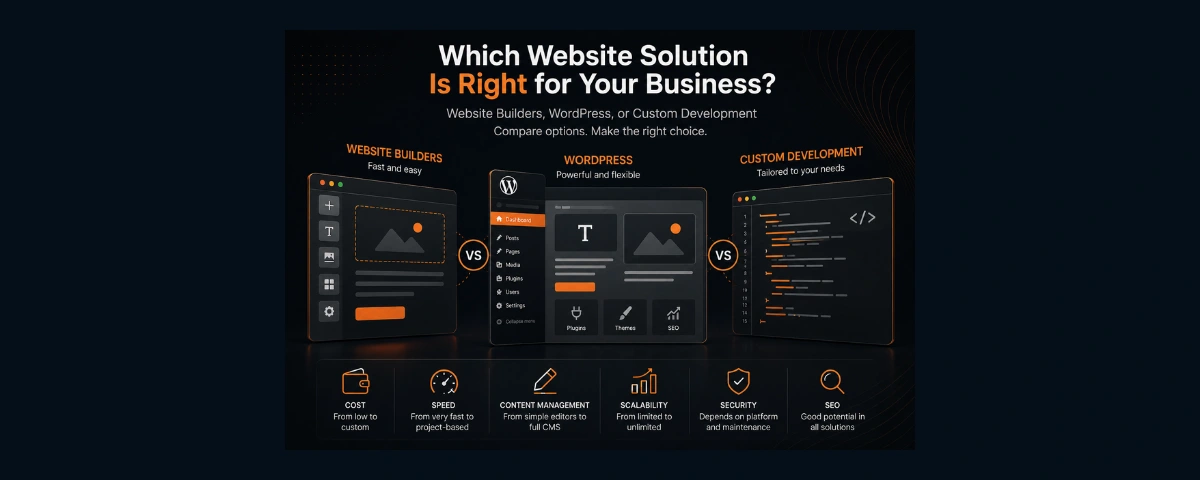
Without going into programming languages and frameworks, most business websites can be divided into three broad categories:
- websites built with website builders;
- websites built with a CMS, especially WordPress;
- custom-developed websites.
There is also a newer scenario: building a website yourself with AI, often referred to as vibe coding.
Vibe coding is not really a fourth website technology. It is better understood as a different way of developing software, so we will look at it separately later in this article.
Most importantly, there is no universal winner among these options.
1. Website builders
A website builder provides an existing environment in which you can create and publish a website.
You can choose a template or start with a blank page, add sections, change colours, images and text, connect available features and publish the result.
There are many platforms in this category, including Wix, Squarespace, Webflow and others. Their capabilities vary considerably, so even the term "website builder" covers a fairly wide range of solutions.
What are the advantages of a website builder?
The main advantage is a low barrier to entry.
For a relatively simple website, you may not need to understand servers, software updates or programming. Hosting, the visual editor and much of the technical infrastructure are already provided by the platform.
For a small business, this can be a perfectly sensible solution.
For example, if a self-employed professional only needs:
- a homepage;
- service information;
- a small photo gallery;
- contact details;
- a simple contact form;
- the ability to edit text independently,
custom development may be unnecessary.
Where do the limitations begin?
As long as the needs of the business match what the platform provides, a website builder can work very well.
Problems tend to appear when the business needs something the platform was not designed to do — or needs it to work in a very specific way.
For example, the business may later require a custom calculator, a specialised booking process, integration with an internal company system or unusual application logic.
At that point, you may need workarounds, additional services or third-party integrations. In some cases, the required functionality may simply not be available.
That is why one of the most useful questions to ask before choosing a website builder is:
not only "What can it do today?" but also "What happens if my requirements change?"
Do you really own a website built with a website builder?
It is important to distinguish between owning your content and being able to move the complete working website elsewhere.
The rules vary between platforms.
For example, Wix states that a website created with Wix needs to run on Wix's infrastructure, although the domain itself can be registered elsewhere.
Squarespace allows some content to be exported, but the export does not include every page type, site styles, custom CSS and various other elements.
Webflow allows code export on certain plans, including HTML, CSS, JavaScript and assets, but CMS content, e-commerce functionality, user accounts, localisation and some other platform features are not included in the exported site.
So the question:
"Can I move this website to another hosting provider later?"
is worth asking before development begins rather than after.
2. WordPress
WordPress is sometimes described as a website builder, but that is not quite accurate.
WordPress is a content management system (CMS). The WordPress software itself is open-source.
Websites built with WordPress can also be very different from one another.
You can install an existing theme, replace the images and text and create a website relatively quickly.
You can use a visual page builder.
Or you can create a completely custom design, custom blocks and functionality specifically for the business while still using WordPress as the CMS.
For this reason, the statement:
"It is a WordPress website"
does not tell you very much about the quality, complexity or amount of work behind the website.
Does WordPress always mean a template-based website?
No.
Using a ready-made theme is only one way to build with WordPress.
A designer can create a unique interface for a business, and a developer can then implement that design in WordPress.
Two websites using the same CMS can therefore be completely different both visually and technically.
This also explains why two quotes for "a WordPress website" can have very different prices.
In one project, the provider may install an existing theme and replace the content.
In another, the work may include information architecture, UX/UI design, custom components, performance optimisation, technical SEO and integrations.
The CMS is the same.
The scope of work is not.
WordPress is free. Does that mean the website is free too?
This is one of the most important points to understand.
WordPress itself is free, but running a WordPress website is not necessarily free.
One of the major advantages of WordPress is its enormous plugin ecosystem.
A plugin adds functionality that is not included in the basic installation.
For example:
- contact forms;
- SEO tools;
- multilingual functionality;
- booking systems;
- e-commerce;
- backups;
- security tools;
- image optimisation;
- additional editor functionality;
- integrations with external services.
There are good free plugins available for many tasks.
However, many products use a freemium model: the basic version is free, while more advanced functionality requires payment.
Some commercial plugins use annual licences.
This is why, when ordering a WordPress website, it is worth asking:
- Which paid plugins are being used?
- How much do the licences cost?
- Is the payment one-time or recurring?
- Is the licence owned by the client or by the developer?
- What happens if the licence is not renewed next year?
The last question is particularly important.
With some products, the existing functionality may continue to work but updates and support will stop.
With others, certain premium functionality or access to an external service may no longer be available.
The exact conditions depend on the product.
So when evaluating the cost of WordPress, do not ask only:
"How much does the website cost to build?"
Also ask:
"How much will this website cost to own and maintain?"
We will cover free, freemium and premium WordPress plugins — including recurring licence costs — in a separate article.
WordPress requires maintenance
Another common claim is that WordPress itself is inherently insecure.
That is too simplistic.
However, WordPress core, themes and plugins do need to be maintained and updated. Compatibility between components needs to be monitored, backups should be created and the condition of the website should be checked.
This becomes particularly important when a website relies on many third-party extensions.
WordPress maintenance therefore does not necessarily mean "constantly fixing a broken website".
It is part of operating the system responsibly.
And the cost of that maintenance should be considered when choosing a solution.
3. Custom development
The third option is a website developed specifically around the requirements of a particular project.
Clients sometimes describe this as a "hand-coded website".
The idea is understandable, although the term is not entirely accurate. Modern developers use frameworks, libraries, services, APIs and many other existing tools.
For the client, the more important distinction is this:
the architecture and functionality are designed around the requirements of the project rather than being limited to the features of one website platform.
The programming language or framework used by the developer is a secondary question.
A business owner does not normally need to decide whether a website should use HTML, PHP, JavaScript, React, Next.js or another technology.
Choosing the appropriate technical tools is part of the developer's job.
What are the advantages of custom development?
The main advantage is control.
The structure, interface, functionality, integrations and architecture can be designed specifically around the project.
This becomes particularly useful when a website is more than a collection of informational pages.
For example, a project may require:
- custom calculators;
- customer accounts;
- specialised forms;
- advanced filtering;
- APIs;
- CRM integrations;
- databases;
- custom booking logic;
- internal business automation;
- higher performance requirements;
- unusual interface requirements.
But that does not mean every business needs custom development.
When is custom development an unnecessary expense?
Imagine a small service business.
It needs five pages, a contact form, a portfolio and the ability to change prices a few times a year.
No complex functionality is planned.
In this situation, building a complex custom system simply so that the website can be called "custom-developed" may provide little additional value to the business.
A technically more complex solution is not automatically a better business solution.
That is an important principle when choosing how to build a website.
Does a custom-developed website mean there is no admin panel?
No.
This is another common misunderstanding.
The content management system and the way the website itself is developed are separate decisions.
A custom-developed website can be connected to a CMS.
The CMS can allow the business to edit almost everything, or it can provide access only to the content that actually needs regular updates, such as:
- prices;
- services;
- photographs;
- blog articles;
- team members;
- promotions.
In some projects, limiting the editable areas is actually useful. The client can manage the content that matters without accidentally breaking the layout or structure of a page.
Does every business need an admin panel?
Not necessarily.
If a website changes once a year, developing and maintaining a complex CMS just so someone can independently replace two lines of text may add unnecessary complexity.
If the company publishes articles every week, regularly adds products, projects or employees, then a good content management system becomes much more important.
So instead of asking:
"Will my website have an admin panel?"
ask:
"What exactly do I need to edit myself, and how often?"
Which option is best for SEO?
WordPress, website builders and custom development can all be used to create websites that perform well in search.
None of them automatically guarantees good Google rankings.
SEO depends on many factors, including:
- site structure;
- content;
- HTML markup;
- performance;
- mobile usability;
- internal linking;
- metadata;
- structured data;
- indexing;
- technical errors;
- competition;
- implementation quality.
Modern website builders provide a range of SEO settings.
WordPress provides extensive control through the CMS itself and through plugins.
Custom development can provide very detailed technical control over the implementation.
So the useful question is not simply:
"Can this platform do SEO?"
It is:
"Does this solution provide the level of control this project needs, and will that control be used properly?"
Which option is faster to launch?
For a standard project, a website builder can often produce a result quickly.
WordPress can also reduce development time because the CMS and a large ecosystem of existing solutions are already available.
Custom development usually requires more planning and development work.
However, the picture can change as the project becomes more complex.
If a developer constantly needs to work around the limitations of an existing platform, the supposedly faster solution can gradually become the slower one.
Which option will be easier to develop in a few years?
This is a question businesses often overlook when launching a website.
Today, the company needs a service page.
Next year, it wants a blog.
Then another language.
After that, online booking.
Later, CRM integration.
So it is useful to consider more than the functionality required today.
Flexibility is also about the cost of making changes tomorrow.
With a website builder, future development takes place within the capabilities of the platform and its available integrations.
WordPress offers a large plugin ecosystem as well as the possibility of custom development.
A custom website can be extended programmatically, but the cost and complexity of future changes depend heavily on the quality of the original architecture.
No solution is infinitely scalable by default.
Can you change developers later?
This is something you should be able to answer before the project starts.
With WordPress, it is generally relatively easy to find another specialist because the platform is widely used.
With custom development, much depends on code quality, documentation, the technologies used and whether the client has access to the source code.
With a website builder, another specialist needs to be able to work with the same platform.
Whatever solution you choose, find out:
- who owns the domain;
- whose account the hosting is registered under;
- who owns or controls the source code;
- who owns the software licences;
- which third-party services are being used;
- whether the client receives administrative access;
- whether another developer can continue the project.
A good business website should not continue to exist only because one particular person knows how it works.
What about AI — why order a website if you can build one yourself?
The situation has changed considerably in the last few years.
AI can now generate interfaces, write code, find and fix errors and help create complete web applications.
The term vibe coding has emerged to describe a style of development in which a significant part of the code is produced through natural-language interaction with AI.
This creates an entirely reasonable question for a business owner:
"Why should I pay a developer if I can describe the website I want to AI and build it myself?"
It is a valid question.
Can someone without development experience build a website with AI?
Yes.
And these tools are improving very quickly.
Modern AI platforms can generate pages, interfaces and applications from written instructions. Some can also work with databases, authentication and other backend functionality.
So in 2026, saying:
"You cannot build a real website without being a programmer"
is no longer accurate.
But there is another side to the question.
The first 80% and the last 20%
AI can create the first working version remarkably quickly.
There is a polished hero section.
Navigation works.
Cards look good.
Buttons respond.
The mobile version appears to work.
And it is easy to think:
"The website is almost finished."
But a commercial website is more than what you can see on the screen.
There are still questions to answer:
- Do the forms actually work correctly?
- Where is submitted data sent?
- What happens when something fails?
- Can search engines index the website correctly?
- Are canonical URLs configured?
- Is there a sitemap?
- Do multilingual versions work correctly?
- How is cookie consent handled?
- Is personal data processed appropriately?
- Is the website sufficiently accessible?
- How fast does it load?
- Is authentication secure?
- Where is the database hosted?
- Are backups available?
- How can the project be restored?
- Who owns the service accounts?
- How will updates be handled?
- What happens when an API or dependency changes?
AI can help solve these problems too.
But in order to ask AI the right question, you sometimes first need to know that the question exists.
That is one of the important differences between a working prototype and a production-ready business website.
Is vibe coding free?
Not necessarily.
AI has significantly reduced the cost of getting started with development.
It is possible to begin with free plans and create a working prototype very quickly.
But a more serious project may require:
- a paid AI plan;
- additional generations or credits;
- hosting;
- a database;
- file storage;
- an email service;
- a domain;
- third-party APIs;
- analytics;
- other external services.
So the comparison:
"A developer costs money, but AI is free"
is not quite accurate.
It is better to calculate the total cost of the project.
The most expensive part of DIY development may never appear on an invoice
That cost is your own time.
Suppose a business owner is perfectly capable of building a website with AI.
The question is no longer:
"Can I do it?"
The better question is:
"Is this the best use of my time?"
If you are interested in technology, want to learn and plan to develop the project yourself, the time spent learning can be a worthwhile investment.
But if a salon owner, consultant, photographer or other professional spends dozens of hours learning about deployment, DNS, SEO, cookies, databases and debugging, those hours also have a value.
Perhaps DIY development really did save money.
Or perhaps those were the most expensive "free" hours of the entire project.
Does that mean vibe coding is only for developers?
No.
One of the most interesting aspects of AI-assisted development is that it allows people to create digital products that they may not have been able to build before.
That is a significant advantage.
But there is a difference between:
"AI helps me build my website"
and:
"AI is responsible for the quality of my website."
Responsibility still belongs to the person who publishes and operates the result.
What if a professional developer uses AI?
That is a different situation.
AI can help developers with:
- writing routine code;
- debugging;
- refactoring;
- creating tests;
- working with documentation;
- analysing architecture;
- preparing content;
- many repetitive development tasks.
Using AI says very little about the quality of a developer.
The more important question is:
Does the developer understand the output produced by AI and know how to verify it?
A professional developer does not need to type every line of code manually for the work to be professional.
Tools change.
Responsibility for the result remains.
Website builder, WordPress or custom development: how do they compare?
There is no universal answer.
| Criteria | Website builder | WordPress | Custom development |
|---|---|---|---|
| Fast launch | Very good | Good | Depends on the project |
| Lower initial budget | Often | Often | Less often |
| Self-service content editing | Usually easy | One of its strengths | Possible with a CMS |
| Custom design | Within platform limits | Very flexible | Maximum control |
| Custom functionality | May be limited | Plugins + custom development | Built around requirements |
| SEO | Good core capabilities | High level of control | Maximum technical control |
| Platform maintenance | Mostly handled by provider | Required | Depends on architecture |
| Paid extensions | Plans and apps | Plugins and licences may apply | Services and APIs as required |
| Portability | Depends on platform | Usually high | Depends on architecture and access |
| Future development | Within platform capabilities | Highly extensible | Designed around requirements |
This table should not be treated as a ranking.
More capabilities do not automatically mean a better solution.
If the business will never use those capabilities, it may simply be paying for unnecessary complexity.
How should you choose?
Instead of starting with:
"Which technology is best?"
answer a few other questions first.
What does the website need to do?
Does it simply present the company, or does it need to support business processes?
How often will the content change?
Once a year or every day?
Who will update it?
The owner, employees or a developer?
Is the website expected to grow?
More languages, e-commerce, booking, customer accounts or CRM integration?
How unusual is the required functionality?
Can the problem be solved with standard tools?
What budget is available for ongoing ownership as well as development?
Only after answering these questions does it make sense to choose the technical solution.
A few practical scenarios
A self-employed professional or new small business
The website needs a few pages, services, contact information and a form.
A website builder may be entirely sufficient.
A company that publishes a lot of content
There are articles, employees, services, projects and several editors.
WordPress may be a very practical choice.
A standard company website with a completely custom design
Both WordPress and custom development may be appropriate.
The choice depends on content management requirements, budget and future plans.
A project requiring unusual functionality and integrations
Calculators, APIs, complex workflows, customer accounts or internal tools.
Custom development is worth considering.
You want to build the website yourself
If you have the time and want to learn, AI and modern website builders have made this route much more accessible.
Just remember to consider the value of your own time as well as the cost of subscriptions.
What should you ask before ordering a website?
Regardless of the technology, it is useful to ask:
- Why is this particular solution being recommended for my project?
- What recurring costs will I have after launch?
- Are any paid plugins, apps or licences required?
- Who pays for and renews them?
- What will I be able to edit myself?
- Where will the website be hosted?
- Who owns the domain and hosting accounts?
- Will I receive all administrative access?
- Will I receive the source code where applicable?
- Can the website be moved to another provider?
- Can another developer continue the project?
- What support is included after launch?
- How are backups handled?
- What does the SEO setup include?
- What additional costs could appear as the website grows?
The answers often tell you more about the future of the website than the name of the technology.
So which type of website is actually best?
The one that matches the needs of the business.
Not necessarily the most expensive one.
Not the most technically sophisticated one.
Not the solution currently receiving the most attention on social media.
And not necessarily the technology a developer happens to use for every project.
A website builder is a good choice when its capabilities are sufficient.
WordPress is a good choice when a mature CMS and its ecosystem match the requirements of the project.
Custom development makes sense when the business genuinely needs more control, unusual functionality or a specific architecture.
Vibe coding and AI make it possible to try building a website yourself — but the cost of that route should be measured not only in money, but also in time, learning and responsibility for the final result.
So rather than choosing between technology names, choose between solutions to the actual business problem.
FAQ
Which is cheaper: WordPress or a website builder?
For a simple website, a website builder can often reduce the initial cost.
However, recurring plans, paid apps, licences and the cost of future changes should also be considered.
A WordPress project can be relatively inexpensive or highly customised and considerably more expensive.
Is WordPress really free?
WordPress itself is free and open-source.
However, hosting, development, maintenance, themes and some plugins may cost money.
Do you have to pay for WordPress plugins?
No.
Many tasks can be handled with free plugins.
However, some plugins use a freemium model or require a commercial licence for advanced functionality.
Can a website builder be good for SEO?
Yes.
Using a website builder does not automatically mean poor SEO.
However, the available technical controls depend on the platform.
Can a custom-developed website have an admin panel?
Yes.
A custom website can be connected to a CMS or provided with a content management interface tailored to the content the business actually needs to edit.
Can a website built with a website builder be moved elsewhere?
It depends on the platform.
Export and migration capabilities vary considerably, so this should be checked before development begins.
Can I build a business website myself with AI?
Yes.
Modern AI tools can create websites and web applications even for people without deep programming knowledge.
However, a production business website still requires attention to SEO, security, personal data, infrastructure, maintenance and other technical requirements.
Does using AI make a developer less professional?
No.
AI is a tool.
The quality of the project depends on whether the developer can define the problem correctly, evaluate the output, verify the implementation and take responsibility for the finished product.
What to read next
This topic contains several questions that deserve their own detailed articles.
How Much Does WordPress Really Cost? Plugins, Licences and Annual Expenses — we will look at free, freemium and premium plugins, recurring licences and the real ongoing cost of a WordPress website.
Vibe Coding: Can You Build a Business Website Yourself with AI? — we will take a closer look at costs, limitations, time investment and the work that begins after the first AI-generated version.
If your main question is not the technology but the budget, read How Much Does a Website Cost in Finland in 2026?.
Sources and methodology
This article was reviewed on 28 August 2026.
For questions that depend on a specific platform, official platform documentation was used. The purpose of this comparison is not to declare one technology universally better, but to explain the differences between the approaches and the questions a business owner should consider.
Main sources:
- WordPress.org — WordPress licence
- WordPress.org — plugin directory
- WordPress.org — WordPress security
- Wix — exporting or hosting a Wix website elsewhere
- Squarespace — exporting a website
- Webflow — code export and limitations
- Lovable — pricing and AI development
- Merriam-Webster — definition of vibe coding