
A few years ago, building a website without knowing how to code usually meant using a website builder or a ready-made CMS.
Today, things are different.
You can open an AI service, describe the website you want in plain language, and within minutes get a working interface. AI can write code, create pages, suggest a structure, help with content, fix errors and even help prepare a project for deployment.
So a perfectly reasonable question arises:
if AI can already do all of this, why pay a developer at all?
It is a fair question.
And in some cases, the answer really is:
you don't need to.
With modern AI tools, a business owner can build a perfectly capable website independently.
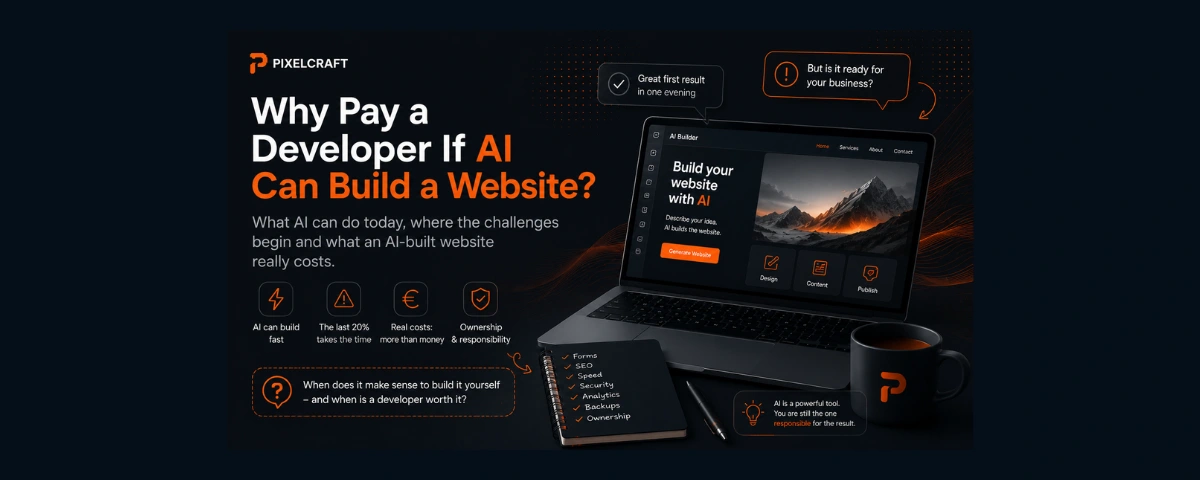
But there can still be a considerable amount of work between “AI built me a website” and “my business has a website that is ready to use.”
Let's look at where AI genuinely saves time and money, what vibe coding actually means, and what you should consider before deciding to skip the developer and build everything yourself.
What is vibe coding?
The term vibe coding is generally used to describe an approach in which a person creates software or a website primarily by communicating with AI.
Instead of writing every line of code manually, the user describes the desired result in natural language:
Build a homepage for a beauty salon. I want a modern dark design with services, testimonials, pricing and a booking form.
AI generates a solution.
Then the conversation can continue:
Make the navigation more compact.
Add Finnish and English versions.
The image is too large on mobile — fix it.
Connect the form.
The project gradually develops through a sequence of instructions like these.
For someone without programming experience, this represents a major change.
Previously, there were HTML, CSS, JavaScript, libraries, documentation and months of learning between an idea and a working prototype.
Today, there can simply be a conversation.
Can you really build a website yourself with AI?
Yes.
And it is important to say that clearly.
Modern AI tools can help create:
- a landing page;
- a small business website;
- a portfolio;
- an event website;
- a service prototype;
- a blog;
- a simple web application;
- a customer dashboard interface;
- individual interactive features.
The result does not necessarily have to look amateurish either.
AI can generate modern interfaces, responsive layouts, components, animations and fairly complex functionality.
If the project is relatively simple and you are willing to understand at least some of the process, building it yourself can be a perfectly rational decision.
Especially when the budget is limited.
Why do businesses still hire developers?
Because creating the interface is only one part of a web project.
Displaying an attractive page in a browser is relatively easy.
Making sure that website reliably performs a business function is another matter.
A website may also need:
- forms;
- email delivery;
- analytics;
- cookie consent management;
- SEO;
- multiple languages;
- integrations;
- a database;
- authentication;
- user roles;
- payments;
- external APIs;
- a content management system;
- backups;
- security measures.
The more of these elements a project has, the more important it becomes not only to be able to generate code, but also to make architectural decisions.
AI is very good at helping write code.
But someone still has to decide what code should be written and what architecture makes sense in the first place.
The impressive first 80%
One reason vibe coding has become so attractive is easy to understand.
The first results can appear incredibly quickly.
You describe an idea and almost immediately see a page.
Ask for different colours — they change.
Request another section — it appears.
After one evening, the project may already look as though most of the work is finished.
And that makes it very easy to conclude:
“Apparently, building a website isn't that difficult.”
In one sense, that is true.
AI has dramatically shortened the path from an idea to the first working result.
The problem is that a website that looks finished and a website that is technically ready for commercial use are not necessarily the same thing.
The final 20% can take longer than expected
Imagine that the homepage already looks great.
Then, before launch, you discover that:
- the form occasionally fails to send;
- emails end up in spam;
- the mobile menu behaves incorrectly;
- images are too heavy;
- pages load too slowly;
- metadata is missing;
- canonical URLs are configured incorrectly;
- the sitemap is missing important pages;
- Google is indexing technical URLs;
- language switching breaks some routes;
- the cookie banner does not control analytics correctly;
- an update to a dependency breaks the form;
- there is no proper 404 page;
- keyboard navigation does not work everywhere;
- some elements have insufficient contrast.
Each individual problem may be small.
But a production-ready business website is made up of exactly these details.
So the statement:
“AI built the website in an hour”
can be completely true.
And at the same time, this can also be true:
preparing that website for a proper launch took several more days or weeks.
AI can fix these problems too
Of course.
You can ask AI:
Check the SEO.
Fix the accessibility issues.
Optimize the images.
Configure the sitemap.
Add cookie consent.
Find out why the form is failing.
And very often, it will genuinely help.
But this introduces another question:
how does someone who doesn't know the subject know what to ask?
If you don't know what a canonical URL is, you are unlikely to ask AI to check it.
If you have never heard of Consent Mode, you may assume that having an attractive cookie banner is enough.
If you have never worked with accessibility, you may not notice a keyboard-navigation problem.
This means that one of the main limitations of independent AI development is not necessarily AI's ability to produce a solution.
The limitation can be the user's ability to define the right problem and verify the result.
AI can be confidently wrong
There is another characteristic worth considering.
An AI response can look extremely convincing even when the proposed solution contains a mistake.
Generated code may:
- use an outdated approach;
- conflict with another part of the project;
- fix a symptom rather than the underlying cause;
- introduce a security issue;
- duplicate existing functionality;
- add an unnecessary dependency;
- make the architecture more complicated;
- solve one problem while creating another.
Developers make mistakes too.
The difference is not that humans are always right and AI is always wrong.
The difference is that an experienced specialist is usually better equipped to evaluate a proposed solution in the context of the entire project.
With vibe coding, users may sometimes have to trust the result precisely because they do not know how to verify it.
“But I can just show the error to AI”
Yes. And this is one of the strongest uses of AI.
You can paste an error message, show the relevant code or describe the problem and ask for a fix.
Sometimes the problem is solved within minutes.
But another scenario is also possible:
- AI suggests a fix.
- The original error disappears.
- A new one appears.
- AI changes another part of the project.
- Something that previously worked stops working.
- The next fix adds another workaround.
Over time, the project can accumulate solutions that look reasonable individually but form a complicated system when combined.
This does not have to happen.
But the risk generally increases as the project becomes more complex.
Vibe coding is not necessarily free
Another common comparison looks like this:
developers are expensive, while AI is free.
In practice, it is more complicated.
AI services may have:
- free tiers;
- usage limits;
- credits;
- paid subscriptions;
- additional costs for more capable models or higher usage.
The website itself may also require:
- a domain;
- hosting;
- a database;
- file storage;
- an email service;
- APIs;
- analytics;
- third-party services;
- commercial tools.
This does not mean that an AI-built website will necessarily be expensive.
For a small project, the costs may be very low.
But AI changes the structure of the costs rather than necessarily eliminating them altogether.
The most expensive part may never appear on an invoice
Your time.
Imagine that a business owner decides not to hire a developer and builds the website independently.
The first prototype takes three hours.
Then they need to:
- configure the domain;
- understand DNS;
- choose hosting;
- set up the form;
- find out why emails are not arriving;
- understand cookies;
- read about GDPR;
- configure analytics;
- test the mobile version;
- understand indexing;
- fix several issues after launch.
The project ends up taking not three hours, but several evenings or even several weeks of spare time.
It can still be an excellent decision.
Especially if the person enjoys the process and the knowledge gained will be useful later.
But when comparing:
“build it myself for free”
with
“pay a professional”
the value of your own time should also be included.
For a business owner, ten hours spent troubleshooting a website are ten hours not spent on clients, sales or the core business.
When does building a website yourself with AI make sense?
Quite often.
For example, when:
- the budget is very limited;
- the website is simple;
- the project is experimental;
- you need to validate an idea quickly;
- there are no complicated integrations;
- no sensitive user data is involved;
- the owner is willing to handle the technical side;
- learning web development is genuinely interesting;
- potential mistakes do not create a significant business risk.
For a small project, AI can make it possible to achieve something that only a few years ago would have required either a developer or considerably more time spent learning.
That is a real advantage.
When should you consider a specialist?
The more important the website is to the business, the more expensive a mistake can become.
Professional help becomes particularly relevant when a project involves:
- payments;
- personal data;
- complex forms;
- authentication;
- a database;
- multiple user roles;
- integrations with external systems;
- complex multilingual functionality;
- business-critical SEO;
- large amounts of content;
- high traffic;
- custom business logic.
Even here, the choice does not have to be between two extremes:
do absolutely everything yourself or outsource the entire website.
There are intermediate options.
AI and a developer can work together
This may be one of the most practical approaches.
A business owner can independently:
- prepare the structure;
- define requirements;
- collect references;
- create an initial prototype;
- prepare content;
- test ideas.
A specialist can then:
- review the architecture;
- perform a technical audit;
- configure the more complex parts;
- review security;
- fix critical problems;
- prepare the project for launch.
Or the process can work the other way around: a developer builds the technical foundation, while the business owner later uses AI to work with content and continue developing the site.
AI does not necessarily replace the specialist.
It can reduce the amount of professional work you need to pay for.
Developers use AI too
Sometimes the question:
“Why do I need a developer if AI exists?”
assumes that the developer builds websites in a traditional way while the customer using AI is taking the modern approach.
But developers use the same tools.
AI can help a professional:
- write repetitive code;
- create tests;
- find bugs;
- analyse a project;
- prepare documentation;
- refactor code;
- explore possible solutions;
- speed up prototyping.
So the real comparison is increasingly not:
human vs AI
but:
a person without development experience + AI
versus
a specialist + AI.
That is a very different comparison.
What are you actually paying a developer for?
Not necessarily for the number of lines of code written manually.
The value of a specialist is increasingly about decisions:
- what the project actually needs;
- what does not need to be built;
- which architecture to choose;
- where a ready-made solution is enough;
- where custom development is justified;
- what risks exist;
- how to verify the result;
- how to prepare the project for future development;
- how to make sure another specialist can continue the work later.
If AI helps a developer complete part of the work faster, that does not necessarily reduce the value of the result.
In the same way, a photographer using professional tools does not mean that the client is paying for the number of times the shutter button is pressed.
You are paying for the result and responsibility for the decisions behind it.
What about the code AI creates?
It is worth thinking about the future before starting the project.
You should know:
- where the source code is stored;
- who owns the repository;
- where the domain is registered;
- whose account hosts the website;
- which external services are connected;
- who has access to them;
- whether the project can be moved elsewhere;
- whether another developer can continue the work.
This matters regardless of whether the website was coded manually, built with WordPress or created with AI.
Convenience today should not become dependency tomorrow.
What does an AI-built website really cost?
There is no universal figure.
For one project, the monetary cost may be close to zero: a free AI tier, an inexpensive domain and simple hosting.
Another project may require:
- a paid AI plan;
- additional credits;
- hosting;
- a database;
- email;
- APIs;
- external services;
- paid tools;
- professional assistance.
And there is almost always one more resource involved:
the project owner's time.
So when comparing costs, it makes sense to count more than money.
A simple model is:
real cost = services + infrastructure + professional help + your own time.
The final part is the one most often missing from comparisons between “AI” and “developer”.
AI built the website. How do you know it's ready to launch?
Before publishing a business website, it is worth checking at least:
- mobile behaviour;
- forms and email delivery;
- HTTPS;
- domain configuration and redirects;
- the 404 page;
- page titles and descriptions;
- canonical URLs;
- sitemap;
- robots.txt;
- indexing;
- Open Graph metadata;
- loading performance;
- image optimization;
- accessibility;
- analytics;
- cookies and user consent;
- backups;
- external integrations;
- account access and ownership.
Not every website will require exactly the same checks.
But the fact that a page opens at a URL does not necessarily mean that the project is fully ready.
So, should you build a website yourself with AI?
If the project allows it — yes.
AI has made independent website development significantly more accessible.
For a simple project, prototype or small business website, it can be an excellent way to save money and get results quickly.
But the decision should not be based on the question:
“Can AI build a website?”
It can.
A more useful question is:
“Am I prepared to take responsibility for the whole project after AI creates the first version?”
If the answer is yes, building it yourself may be exactly the right choice.
If the website is an important sales tool, handles customer data, requires complex integrations or you simply do not want to spend weeks learning technical details, professional help may be less expensive than it initially appears.
Not because AI is not good enough.
But because generating code and taking responsibility for a finished digital product are still not the same thing.
Frequently asked questions
Can I build a professional website with AI without knowing how to code?
Yes.
Modern AI tools can create fairly sophisticated interfaces and functionality with very little manual coding.
However, the more complex the project becomes, the more technical decisions you will need to understand and verify.
Can AI completely replace a web developer?
For some simple projects, potentially yes.
For more complex systems, the work involves more than generating code: architecture, security, integrations, testing and long-term maintenance also matter.
Do I need a developer if AI has already written all the code?
Not necessarily.
If the project works, you understand how it is structured and you can verify and maintain it yourself, there may be no reason to involve a developer.
For business-critical projects, an independent technical review before launch can still be useful.
Is vibe coding free?
Not necessarily.
Free AI tools and tiers exist, but many services also have usage limits, credits or paid plans.
The website itself may also require a domain, hosting and external services.
What should I check before launching an AI-built website?
Start with the core functionality, mobile experience, forms, security, SEO configuration, analytics, cookies and privacy, performance, backups and ownership of the infrastructure.
The exact checklist depends on the type of website.
Can I build a website with AI first and give it to a developer later?
Yes.
Ideally, the code and accounts should be organised from the beginning so the project can be transferred to another specialist.
The quality of the original architecture will also affect how easy it is to continue development.
Do professional developers use AI?
Yes.
AI can assist with writing and analysing code, testing, debugging, documentation, prototyping and many other development tasks.
Using AI by itself therefore does not distinguish DIY development from professional development.
Read next
If you are still deciding how your website should be built, read “WordPress, Website Builder or Custom Development: Which Is Right for Your Business?”.
For a closer look at the ongoing costs of a WordPress project, read “Is WordPress Really Free? What Makes Up the Real Cost of a Website”.
And if you first want to understand the overall project budget in Finland, read “How Much Does a Website Cost in Finland in 2026?”.
Sources and methodology
This article was prepared on September 2, 2026.
When discussing AI-assisted development, it is important to distinguish between the rapidly changing capabilities of individual AI services and the more general principles of web development. For that reason, this article is intentionally not tied to a single tool and does not provide universal prices for AI platforms: pricing, usage limits and service models can change.
Official and primary sources were used to check the meaning of vibe coding, AI platform capabilities, and the principles of SEO, WordPress and web accessibility.
Main sources: